 Compress Video to Size
Under 10 MB. On the first try.
Drop a video, pick where it is going (Discord, email, Messenger or any size) and get an MP4 that fits. The app works out the bitrate, resolution and frame rate, uses your graphics card, and checks the result before saving it.
Get Compress Video to Size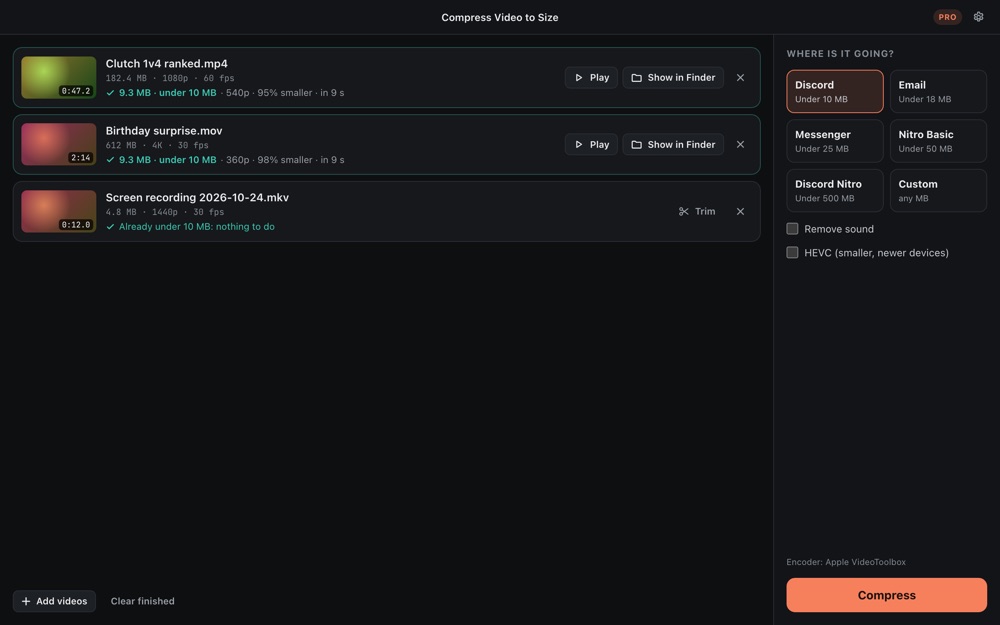
Why it is different
Guaranteed under the size
If the encoder overshoots, the app compresses again with a corrected bitrate. A file over the target is never saved.
Presets that know the limits
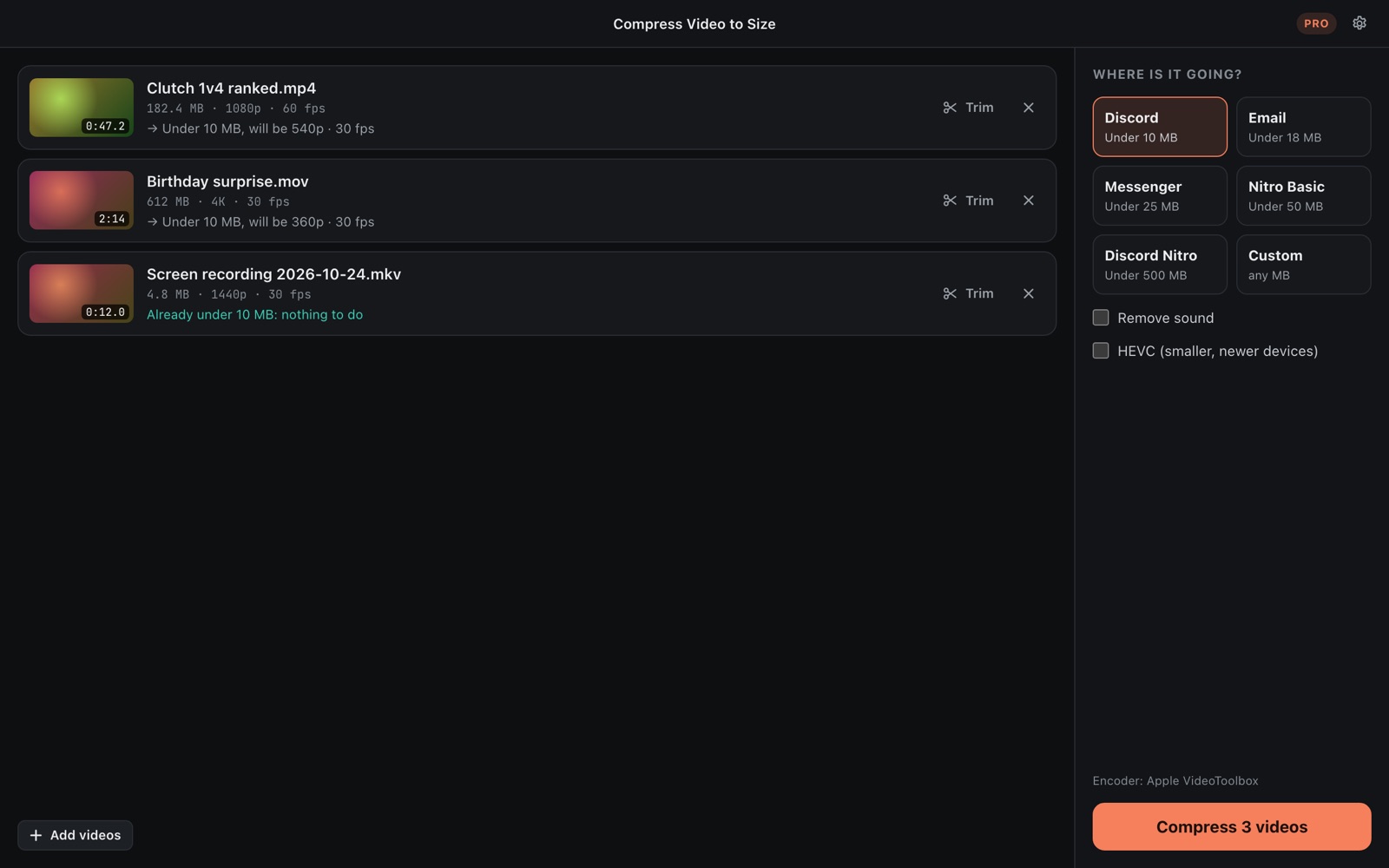
Discord 10 MB, Nitro 50 and 500 MB, Messenger 25 MB. Email is kept under 18 MB because attachments grow by a third in transit.
Fast, on your graphics card
Apple VideoToolbox on Mac; NVIDIA NVENC, AMD AMF or Windows Media Foundation (Intel included) on PC.
See the result first
Before you press Compress, each video shows what it will become: 720p at 30 fps, 540p, and so on.
Offline and private
Nothing is uploaded. No account, no ads, no watermark on your video.
Never touches the original
Results get a new name next to the video or in a folder you pick. Nothing is overwritten.
Trim to the part that matters
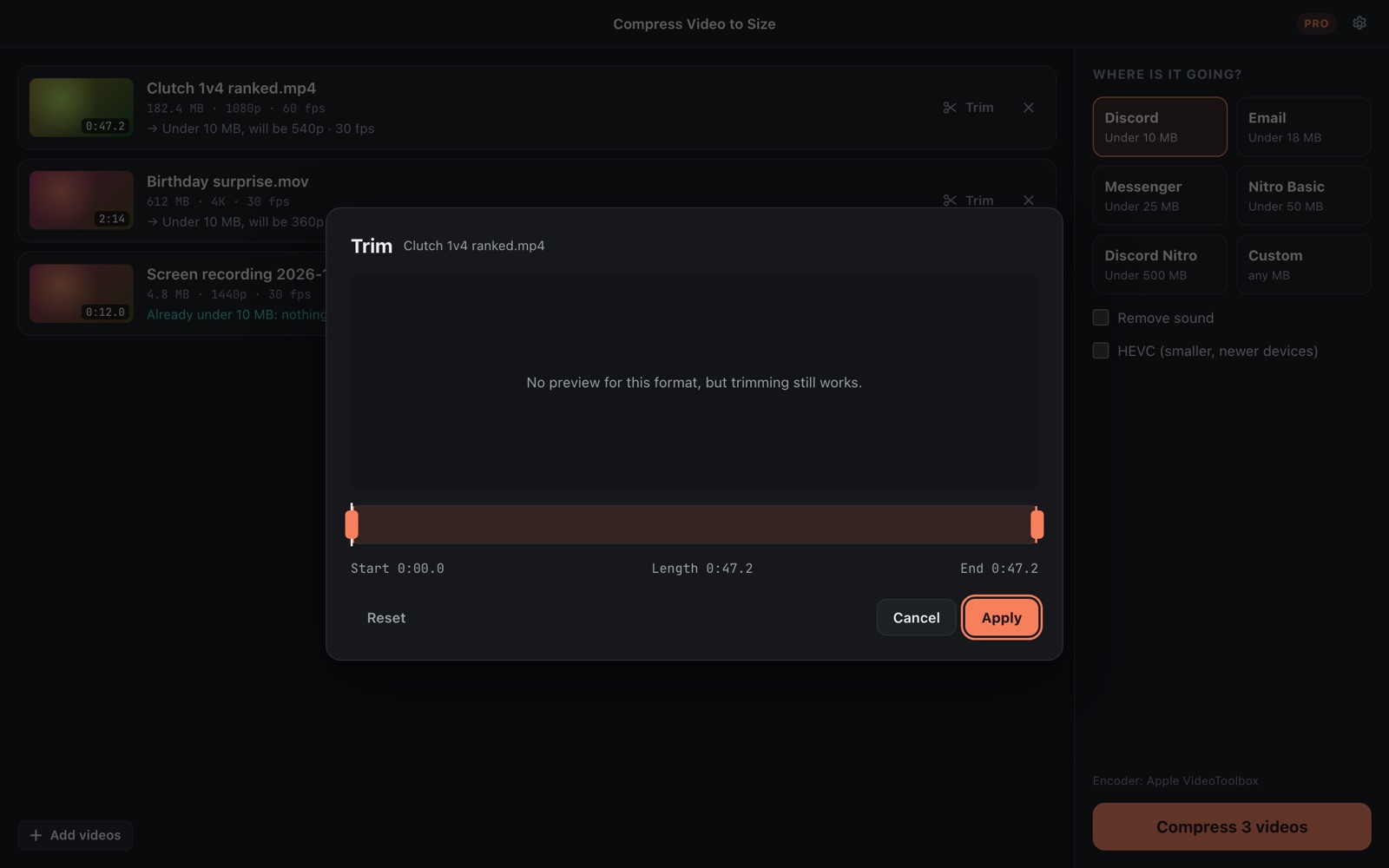
With Pro, cut a clip down before compressing: fewer seconds means a sharper picture in the same 10 MB. Pro also takes a whole folder at once, any size you type, 1440p and 4K, HEVC, and can drop the sound.
Free, with a one-time Pro
| Free | Pro, $4.99 once | |
|---|---|---|
| Discord, email, Messenger, Nitro presets | ✓ | ✓ |
| Under-the-size guarantee | ✓ | ✓ |
| Resolution kept | Up to 1080p | Up to 4K |
| Videos at once | One | A whole folder |
| Custom size, trim, HEVC, remove sound | – | ✓ |
Coming soon to the Microsoft Store and the Mac App Store. No subscription, no account, no ads.